Collect Instagram leads in HubSpot, straight from the DMs
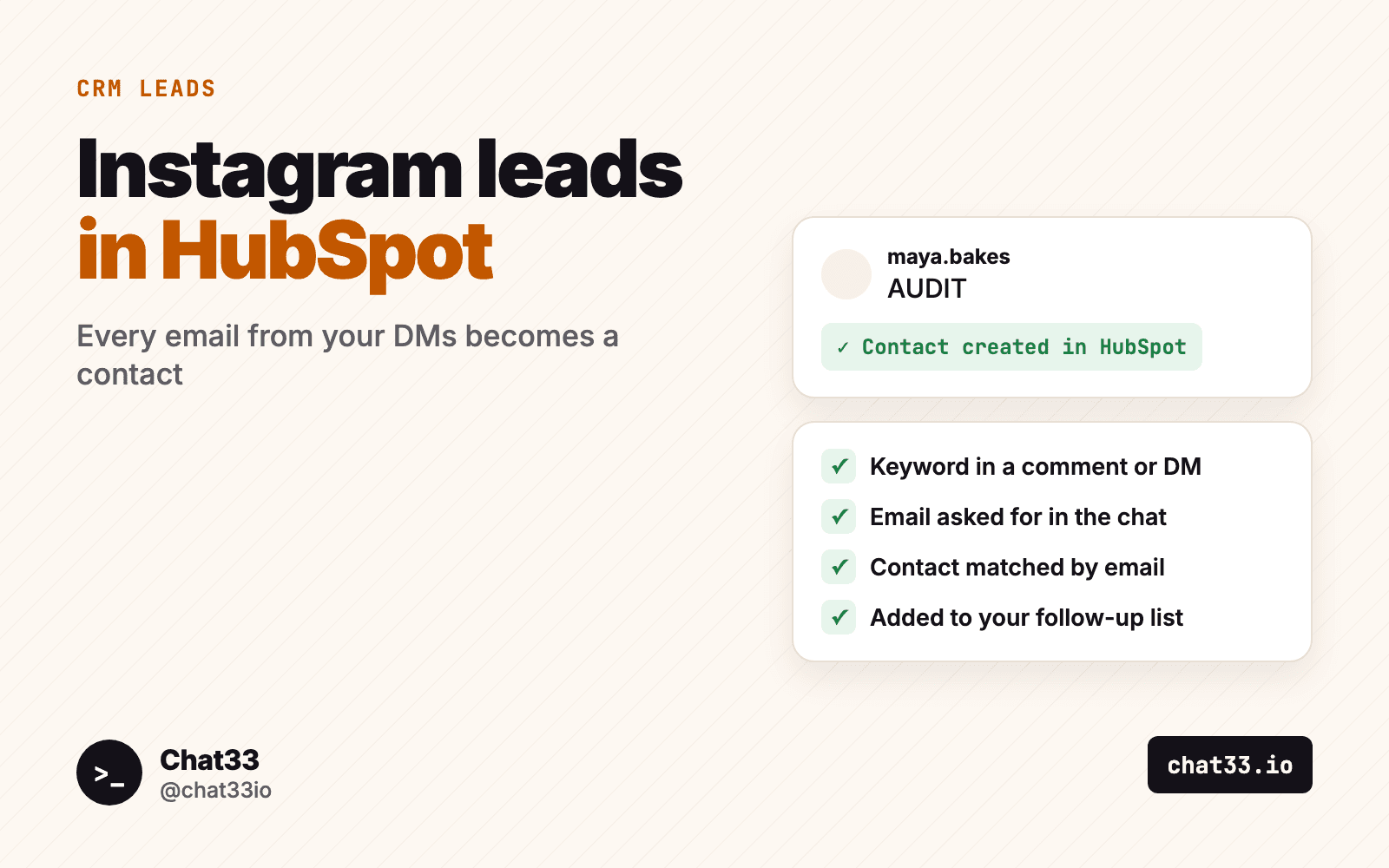
If you sell a service, Instagram is often where people first notice you. A coach posts a short video about a common mistake, an agency shares a before and after, a consultant explains one idea in a carousel. People comment, ask questions, send DMs. And then most of those conversations stay in the Instagram inbox, where nobody on the sales side ever sees them.
HubSpot is where sales actually happens: contacts, owners, tasks, sequences, deals. The gap between the two is usually someone copying names out of DMs by hand, when they remember to.
This guide shows how to close that gap: ask for the email inside the DM, create the HubSpot contact automatically, put it in a list, and let HubSpot handle the follow-up.
In short:
- Offer something worth an email: an audit, a price list, a call slot, a checklist.
- Ask for the email in the DM, at the moment someone shows interest.
- Chat33 creates or updates the HubSpot contact by email and adds it to your list.
- A HubSpot workflow takes it from there: owner, task, follow-up email.
Who this is for
- Coaches and consultants who sell calls and programs, and want every interested person in one place before the follow-up.
- Agencies that run Instagram for themselves or a client, and report leads in the client's CRM. Comment-to-DM for agencies covers how to sell that as a service.
- B2B and service businesses where a lead is a conversation, not a checkout. Comment-to-DM for B2B has keywords and first DMs for that.
If what you want is a newsletter list rather than a sales pipeline, Instagram email leads into Mailchimp is the better fit. You can also do both.
Why an Instagram handle is not a lead
Instagram does not share email addresses or phone numbers with apps. A comment gives you a handle and nothing else. For a CRM that is not a contact: you cannot email it, you cannot match it to a website visit, and you cannot hand it to a salesperson who works in their inbox.
So the email has to come from the person, and the best moment to ask is when they have just asked you for something. "Comment AUDIT and I'll send you the checklist" is a fair trade. The DM asks where to send it, they answer, and now there is a real contact.
How it works
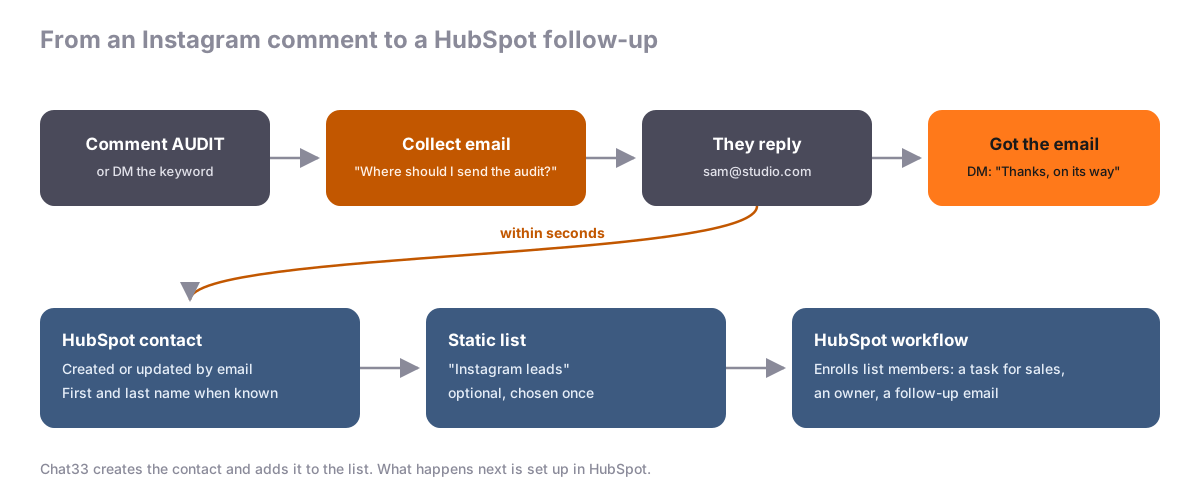
- A keyword starts the flow. Someone comments
AUDITunder your post or sends it as a DM. On Facebook, a Messenger keyword works the same way. - Chat33 asks for the email. A Collect email step sends your question as a DM and waits up to 24 hours for the answer.
- They reply with their address. On "Got the email" the flow goes on: send the checklist, a booking link, or a short thank-you.
- HubSpot gets the contact. Within seconds, Chat33 creates the contact, or updates it if that email is already in HubSpot. The first and last name are filled in when Instagram or Facebook gives us a real name.
- The contact joins your list. If you picked a static list when connecting, the contact is added to it.
Contacts are matched by email, so someone who already filled in your website form, or comments on two posts, stays one contact. The HubSpot setup guide shows the connection step by step.
After a comment, Instagram allows one private reply until the person writes back, so the Collect email question must be the first DM of a flow that starts from a comment. Asking after a Facebook comment is not available yet; Facebook DM keywords work.
Use a list as the handoff
HubSpot has static lists (you decide who is in them) and active lists (HubSpot fills them from filters). Chat33 adds contacts to a static list, so create one called something like "Instagram leads" and pick it when you connect.
That list becomes the handoff point between Instagram and your sales process:
- A saved view for the team. Everyone can open the list and see who came in from Instagram this week.
- A workflow trigger. A HubSpot workflow can enroll contacts when they join the list, and do the rest from there.
- A segment for reporting. Compare how Instagram leads move through your pipeline against leads from your website or events.
Every lead also stays in Chat33 under Contacts, Leads, with the flow, keyword and post it came from, if you want to know which content brought them in.
What to build in HubSpot
A few workflows that are worth setting up once, all triggered by membership in your Instagram list. What you can build depends on your HubSpot plan.
Assign an owner and create a task. For a coach or a small agency, this is enough: every new Instagram lead gets a task for tomorrow morning, "Reply to the Instagram lead and offer a call."
Send a follow-up email. If you promised a checklist or a price list, send it again by email a few minutes later, with a link to book a call. The DM gets buried; the email gets found.
Create deals by hand at first. Every lead goes to the same list, whatever keyword brought them in, so a HubSpot workflow cannot tell a QUOTE lead from a CHECKLIST lead. Check the keyword in Chat33 under Contacts, Leads, and create the deal for the people who are asking to buy. Keep it simple until the volume needs more.
Leave the conversation human. The automation's job is to collect the email and log the contact. The reply that wins the client should come from a person. Follow up after an automated DM has templates for that message.
Examples
A coach offering a free call
Caption:   Most people stall at week 3 of a new habit. I'll tell you why on a free 20-minute call. Comment CALL.
Trigger:   Comment keyword "CALL"
Question:  Happy to! What's the best email to send the booking link to?
Got it:    Thanks! Here's my calendar: https://yoursite.com/call. Pick any slot that suits you.
HubSpot:   Contact created, added to "Instagram leads", task for the coach
An agency offering an audit
Caption:   We reviewed 50 Instagram profiles this month. Comment AUDIT for the 10-point checklist we use.
Trigger:   Comment keyword "AUDIT"
Question:  Where should I send the checklist? Reply with your work email.
Got it:    On its way. Want us to run it on your profile? Reply YES and someone from the team will message you.
HubSpot:   Contact created, added to "Instagram leads", owner assigned by a workflow
The YES reply can start its own DM keyword flow, so a person on your team sees exactly who wants the next step.
A B2B service sending a price list
Caption:   Our pricing for monthly bookkeeping, all in one page. Comment PRICES.
Trigger:   Comment keyword "PRICES"
Question:  Sure. What email should I send the price list to?
Got it:    Sent to your inbox. Any question about your setup, just write it here.
HubSpot:   Contact created, follow-up email with the price list and a booking link
Before you connect
- Ask for consent in plain words. HubSpot has no double opt-in for contacts added this way, so say in the question what they get and that you will follow up.
- Pick the right key. Newer HubSpot accounts use a service key (Settings, Integrations, Service keys); older ones can still use a private app token. Either needs the contacts read and write scopes, plus the lists scopes if you use a list.
- Send the leads you already have. If you collected emails before connecting HubSpot, the card's Send existing leads button sends them too. Existing contacts are updated, not duplicated.
- Watch the card. It shows sent, waiting and failed counts. If the key stops working, the card says Needs attention and the workspace owner gets an email. Leads wait in Chat33 until you fix it.
FAQ
Do I need a paid Chat33 plan?
No. The Collect email step and the HubSpot integration are on every plan, including Free.
Does Chat33 create deals in HubSpot?
No. It creates or updates the contact and adds it to the list you picked. Deals, tasks and emails come from HubSpot workflows or your team.
What if the contact already exists in HubSpot?
It is updated, not duplicated. The match is by email address. If we know a real name from Instagram or Facebook, it is written to the contact.
Does it work with Instagram DMs as well as comments?
Yes. A comment keyword or a DM keyword can start the flow on Instagram. On Facebook it works with Messenger keywords; asking after a Facebook comment is not available yet.
Can I see which post a lead came from?
In Chat33, Contacts, Leads shows the flow, keyword and post for every lead. HubSpot gets the email, the name and the list membership.
The short version
An Instagram handle is not a lead until you have an email. Ask for it in the DM when someone asks you for something, let Chat33 create the HubSpot contact and add it to a list, and let a HubSpot workflow make sure a person follows up. Start with the HubSpot setup guide or see the plans.
HubSpot integration in Chat33Every email your Instagram and Facebook DM flows collect becomes a HubSpot contact within seconds, matched by email and added to the list you choose.